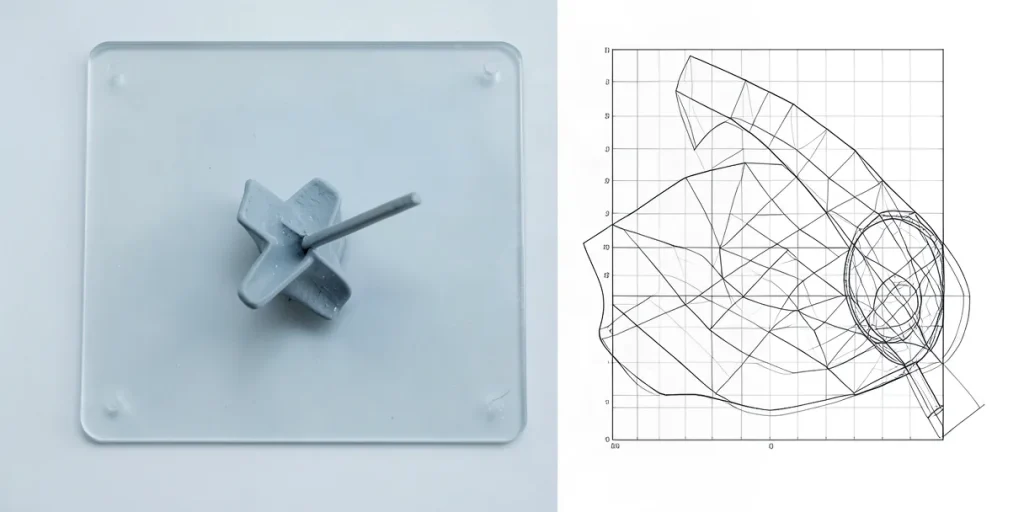
Design and technology turn an idea into a finished product through a sequence of decisions: defining its purpose and appearance, choosing materials and manufacturing methods, creating and testing a prototype, then preparing the product for release. Design helps make a product clear and easy to use, while technology brings the concept to life in tangible form.
The process is rarely straightforward: prototype testing may reveal usability problems or show that the design needs to change. This article looks at how an idea moves through the stages of development and why close coordination between design and technology matters to the outcome.
| Tool | Purpose | What the designer checks |
|---|---|---|
| Uizard | Interface prototype based on a text description | Usability and logic |
| Galileo AI | Interface prototype based on a text description | Fit for purpose |
| Midjourney, Stable Diffusion, DALL-E 3 | Exploring visual ideas and illustrations | Whether the imagery is appropriate |
| Figma | Digital interface mockup | Screens and user flows |
| CAD system | Digital product model | Compliance with manufacturing requirements |
- 2 tools for prototyping interfaces from text descriptions are named in the article: Uizard and Galileo AI
- 3 generative AI tools for exploring visual ideas are listed in the article: Midjourney, Stable Diffusion, and DALL-E 3
- 3 graphics products with AI features mentioned: Figma, Photoshop, and Illustrator
How do design and technology turn an idea into a testable mockup?
Design and technology turn an idea into a testable mockup when a team assembles an interface from specific elements and connects a static screen to an interactive prototype. This makes it possible to discuss a website or app’s structure before handing the solution over for development or production. A digital product—for example, software or a cloud-based solution—exists in electronic form and is accessed through a browser or device.
What tools go into a mockup?
A digital interface is built from buttons, icons, color schemes, fonts, images, and animation: each element affects how users perceive and interact with a screen. Figma is suitable for assembling interface mockups, while Photoshop and Illustrator are used to work with images and graphics.
- Figma helps bring a website’s or app’s screens together in a single mockup and show how users move between them in a prototype.
- Photoshop is used to edit images, while Illustrator is used to prepare graphics. These assets can be included in a mockup so the team can discuss a more tangible version of the interface rather than an abstract outline.
A mockup shows how individual screens are laid out, while a prototype helps assess the intended logic of moving between them. Together, they allow a team to test the structure and agree on a solution before development begins, without serving as a substitute for the finished digital product.
What do CAD systems do, and how does a digital model differ from an interface mockup?
A CAD system builds and edits a digital model of a product, while an interface mockup shows screens and how users act within a digital product: the first tool helps design an object, the second helps test interactions with it. That is why modeling a device casing and prototyping an app require different design approaches.
Product geometry and screen logic
A CAD model describes the geometry of a physical object and makes it possible to align that geometry with manufacturing requirements. For example, a product casing can be designed in CAD, while a screen prototype helps test button placement, transitions between screens, and the sequence of user actions.
- CAD system — for building and editing a digital product model whose geometry needs to be discussed with the manufacturing team.
- Figma — for digital interface mockups, where screens and user interactions are assessed, not the geometry of a physical product.
The CAD software and model handoff format should be chosen for the specific product and manufacturing requirements: the available information does not specify a universal standard or a common set of systems. A Figma mockup does not replace a CAD model, and a CAD model cannot test whether users understand where to click or how to move to the next screen.
How do Uizard and Galileo AI create a prototype from a text description?
Uizard and Galileo AI turn a text description of a task into a rough interface prototype: the designer explains what the screen is for and what action the user should take, and the service proposes a mockup. This gives the team something to discuss instead of a blank page, but it is not a finished solution in itself.
What to check after generation
A mockup created with Uizard or Galileo AI needs to be checked against the real task: is it clear where to click, do the transitions lead to the expected result, and does the user lose their way? For example, if the screen is designed for choosing a product, check the sequence of actions from browsing the options to confirming the selection—a visually polished screen alone is not enough.
Uizard and Galileo AI are useful at the early stage: the team gets a tangible option to discuss, refine, and edit. The designer needs to define the screen’s purpose and the user’s intended action, then review and refine the result to meet the task’s needs. Generation speeds up the move from description to first mockup, but it does not replace an assessment of the interface’s usability and logic.
How do Midjourney, Stable Diffusion, and DALL-E 3 help explore visual ideas?
Midjourney, Stable Diffusion, and DALL-E 3 help quickly generate visual ideas and illustrations, making it easier to establish a project’s direction and discuss its look, composition, or mood. Generated images need to be checked against the product’s purpose: an impressive picture alone does not show whether the chosen solution suits future users or the product’s format.
From sketch to production-ready mockup
Figma, Photoshop, and Illustrator offer built-in AI features that reduce routine work when preparing graphics and mockups. These tools do not replace a designer’s review: the designer writes the prompt, assesses the result, and decides whether it fits the project.
A generated illustration and a final production file belong to different stages. Before release, the mockup needs to be adapted to the requirements of the specific product: check the format and resolution, prepare the required elements, and make sure the graphics work correctly in the intended environment. Images from Midjourney, Stable Diffusion, or DALL-E 3 should therefore be treated as material for exploration and discussion, not as automatically finished work.
When does an AI mockup not replace a designer’s work?
An AI mockup does not replace a designer’s work because an image of a screen does not, by itself, prove that the interface is easy to use or helps people find what they need quickly. Uizard and Galileo AI can generate a prototype from a text prompt, but a designer still needs to check the logic of transitions, the visibility of key information, and the purpose of each screen. A convincing-looking mockup may be useless if the prompt does not describe the user’s real task.
What exactly needs to be checked?
The checks depend on what the material is for: an illustration conveys a visual idea, a prototype shows the intended structure and interactions, and a production design must include solutions that are ready to implement. These formats are not interchangeable: for example, an image from Midjourney does not describe how a button behaves, and a prototype does not guarantee that a screen can be handed straight to developers.
- Illustration: useful for exploring an image, but it does not test navigation or the user journey.
- Prototype: shows the structure of screens; transitions and fit for purpose need to be assessed separately in a mockup from Uizard or Galileo AI.
- Production design: requires checks on implementation details, not just visual appeal.
AI features in Figma, Photoshop, and Illustrator help speed up routine tasks, but the result depends on how precise the prompt is and whether it is reviewed afterward. The designer assesses whether each screen serves its purpose and whether users can get to the information they need without unnecessary steps.
How do you hand a digital mockup from the designer to production?
A digital mockup can be handed from the designer to production by agreeing on the product’s purpose, checking key user flows, and preparing materials in a format the next team can use. Before the handoff, it is also important to flag any decisions that have not yet been made in the prototype, so the person implementing it does not mistake a visual placeholder for an approved requirement.
An interface mockup and a product model are different materials
For a screen-based product, Figma is used to document screens, controls, and transitions between interface states. This kind of mockup helps teams discuss interaction logic, but it does not, by itself, define the geometry of a physical product. A separate CAD model is prepared for a physical object: it connects shape design with manufacturing requirements.
- Interface in Figma: hand over the set of screens, controls, and transitions, and identify the user flows that have already been tested.
- Physical product in CAD: hand over the geometric model and confirm in advance with the receiving team the required file format, dimensions, and technical constraints.
Handing over a mockup does not replace coordination with the manufacturing team: if its requirements are unknown, a visually convincing prototype does not guarantee that the product can be made. Ask the receiving team which parameters and constraints need to be considered, and list any unresolved questions separately. Readiness criteria differ for an interface and a physical object, so do not substitute an image or screen mockup for a CAD model.
Frequently Asked Questions
Can you create an interface prototype from a single text prompt?
How is Figma different from a CAD system?
Which AI tools are suitable for exploring visual ideas?
Do AI features replace a designer’s work?
Key Takeaways
- Uizard and Galileo AI create initial interface prototypes from text descriptions.
- Figma is used for interface mockups, while CAD systems work with a product’s digital geometry.
- Midjourney, Stable Diffusion, and DALL-E 3 help explore visual ideas and illustrations.
- AI speeds up routine work but does not eliminate the need to check logic and usability.
Sources
- logomachine-school.ru — “Digital Design: Fundamentals, Types, Examples, and Trends”
- practicum.yandex.ru — “Digital Design: What It Is and Its Types; Who a Digital Designer Is, Where They Can Work, and How to Become an IT Designer”
- cyberleninka.ru — “Design in the Age of Artificial Intelligence: Co-Author, Tool, or Threat? — Read the Full Text of This Research Article on Computer and Information Sciences for Free”
- mobileup.ru — “Digital Product Development in 2025: Stages, Management, and Design”
- tilda.education — “The Main Stages of a Web Project // Design in the Digital Environment”
