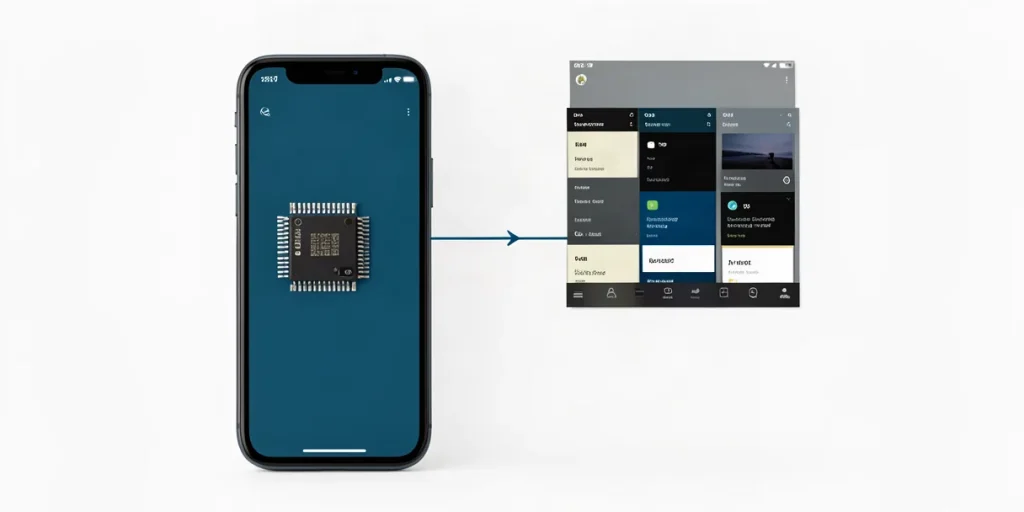
Virtual RAM can help a little if a smartphone is short on memory, but it is no substitute for the real thing. Because it uses storage, data access is usually slower than with actual RAM, so the feature does not guarantee faster performance and may have little effect on how the phone works.
The name sounds like a promise to add memory with a tap, but there’s a trade-off: the system sets aside part of the storage for temporary data. Let’s look at when virtual RAM can support multitasking, why it won’t turn a budget smartphone into a more powerful device, and whether you should enable the setting.
| Criterion | Physical RAM | Virtual expansion |
|---|---|---|
| Where it is located | In RAM chips | On internal storage |
| Access speed | Faster than storage | Slower than RAM |
| What it provides | Working memory for apps and the system | Extra space for data when RAM is insufficient |
| Who may benefit | Any Android smartphone as a hardware resource | Primarily devices with 4 or 6 GB of RAM |
| Main limitation | Capacity is determined by the installed hardware | Does not replace physical memory and may slow performance |
- 4 ГБ One of the RAM capacities for which the source recommends considering virtual expansion.
- 6 ГБ The other RAM capacity cited for devices that may benefit from the feature.
What is virtual memory in Android?
Virtual memory in Android is a feature that sets aside part of the internal storage in software and lets the system use it as an extension of RAM. It does not install extra RAM chips in the smartphone: the label “plus 4 GB” describes space allocated on storage, not a new physical amount of RAM.
RAM and storage are not the same thing
Android and apps need RAM for current tasks, while internal storage keeps files long-term and serves a different purpose. Virtual expansion therefore does not turn storage into real RAM or mean that the two resources work in the same way.
- RAM: used by current Android processes and apps.
- Internal storage: keeps files and can be partially allocated to virtual memory.
- “Plus 4 GB”: refers to space allocated in software, not additional RAM chips.
The feature is available on Android devices, but there is no universal name or single path to the setting: manufacturers put it in different places. When looking for the option, check your particular smartphone’s menus rather than following a fixed path that supposedly works on every device.
How does software expansion differ from physical RAM?
Physical RAM is a separate hardware component in a smartphone, while virtual expansion uses storage, so it is not equivalent to having extra gigabytes of RAM. For example, an Android “virtual RAM” setting may use the phone’s storage, but it does not add memory cells to the RAM chips that are just as fast.
When there isn’t enough RAM, the system may move some app data from fast working memory to slower storage. This can keep more app data available, but accessing it from storage is slower than using physical RAM, so expansion does not guarantee a faster smartphone.
Why the capacities can’t simply be added together
- Physical RAM is hardware memory where the system and apps keep data for quick access.
- Virtual expansion is part of the storage that the system uses as extra space for data; it is slower than RAM.
That’s why a label showing several gigabytes of expansion should not be read as an equivalent increase in physical memory: these are different resources that work in different ways. In particular, don’t expect virtual expansion to be as responsive as real RAM. It may help keep more app data available, but it does not replace hardware memory.
When can expansion help a smartphone?
Consider virtual RAM expansion primarily on smartphones with 4 or 6 GB of RAM if apps close when you switch between them. In that case, virtual memory may give the system extra space for data and reduce how often it has to free up RAM, but the effect depends on the specific device and its current workload.
What to expect from virtual memory
Virtual RAM does not give a smartphone a faster processor or turn storage into RAM: it simply provides the system with extra space for data. So the feature may help when RAM is in short supply, but it does not promise faster app launches or better gaming performance.
- 4 or 6 GB of RAM: consider expansion if your smartphone often closes apps when you switch between them.
- Enough RAM: extra virtual memory is unlikely to solve a noticeable problem, and using it on devices with sufficient memory may slow performance.
- Games and app launches: don’t count on a speed boost, since virtual memory is slower than RAM.
Why can virtual memory sometimes slow things down?
The main trade-off: more space, but slower access
Virtual RAM can slow a smartphone because data in it has to be read from storage, which is slower than physical RAM. As a result, when switching between apps, the device may take longer to bring data back into active use.
This trade-off is especially noticeable on a smartphone with enough physical RAM: the reserved space may not help, and frequent access to it can make switching between tasks less smooth. The extra capacity shown in settings does not mean that apps will start running faster.
- Physical RAM: provides faster access to the data apps need right now.
- Virtual memory: uses storage as a reserve, but accessing this data adds a delay.
- Smartphones with 4 or 6 GB of RAM: the source recommends considering this feature primarily for devices with this relatively small amount of memory.
Virtual RAM does not remove the limitations of the processor, storage, or app itself. If the processor or the program is what’s slowing things down, allocating extra storage space to it won’t solve the cause by itself.
Who should enable virtual memory, and who should leave it off?
Try virtual memory expansion on a smartphone with 4 or 6 GB of RAM if there isn’t enough memory when using apps at the same time; on a device with enough RAM, you can leave it off. The feature is not required to run Android, and if it offers no practical benefit, it may come with slower performance.
The practical test is how the phone behaves, not the number on the box.
Compare the same scenario before and after changing the setting—for example, switch between your browser and messaging app. This will help you see whether virtual memory keeps your apps working as usual or makes switching between them less smooth.
- 4 or 6 GB of RAM: try expansion if apps close during multitasking or the phone struggles noticeably to switch between them.
- Enough RAM: leave the setting off if your browser and messaging app run smoothly without it; extra memory may not make a noticeable difference.
- Performance slowed after enabling it: restore the previous setting. Virtual memory is slower than RAM, so expansion does not guarantee faster performance.
Pay attention to how your own smartphone behaves: the need for expansion depends not only on RAM capacity but also on how well the device handles the apps you use. If testing shows no benefit, turning off virtual memory will not prevent Android from running.
What expectations about the feature are usually mistaken?
The most common mistakes are treating virtual RAM as real RAM, expecting it to make the phone faster, and assuming it is useful on every Android smartphone. The feature uses space on internal storage rather than adding RAM chips to the phone, so enabling expansion does not turn a model with 4 GB of physical memory into a device with more fast RAM, for example.
- “Virtual gigabytes are the same as RAM” — false. They are reserve space on storage, which is slower than RAM.
- “The feature always speeds up the phone” — false. Moving some data to slower storage does not guarantee faster performance; when expansion is used heavily, the interface and apps may sometimes feel less smooth.
- “The more expansion, the better” — unproven. Increasing virtual capacity by itself does not prove that a smartphone will become more responsive. What matters more is whether the device has enough physical RAM for its usual workload.
Who may benefit from expansion
Virtual memory is not a required setting for every Android smartphone. The main target group is devices with 4 or 6 GB of RAM: they are more likely to run short of memory, and expansion may prove useful. If there is enough physical memory and the phone runs smoothly, gigabytes added through storage should not be treated as a guarantee of faster performance.
Frequently asked questions
Does virtual memory really add RAM to a smartphone?
Who should try virtual expansion?
Can virtual memory slow down Android?
Will virtual memory help games launch faster?
Key takeaways
- Virtual expansion uses storage, not additional RAM chips.
- On smartphones with 4 or 6 GB of RAM, the feature can be considered as an auxiliary option.
- Storage is slower than RAM, so virtual memory does not guarantee faster performance.
- On smartphones with enough RAM, expansion may be useless or come with slower performance.
Sources
- ura.news — “Virtual memory on Android: can it slow down a smartphone? Experts weigh in”
- skyeng.ru — “Virtual memory: what it is and how it works”
- tproger.ru — “How virtual memory works in operating systems — Tproger”
- sostav.ru — “How virtual memory works in Windows”
- guiahardware.es — “How RAM works”
